

Configuration Steps
Follow these steps to configure an internal transfer between assistants in your workspace:1
Select your Primary Assistant
Navigate to Assistants from the left panel and select the assistant that will receive the first call and make the routing decisions.
2
Navigate to Transfer Agents
Within the selected assistant’s dashboard, go to the Tools tab and select Transfer Agents.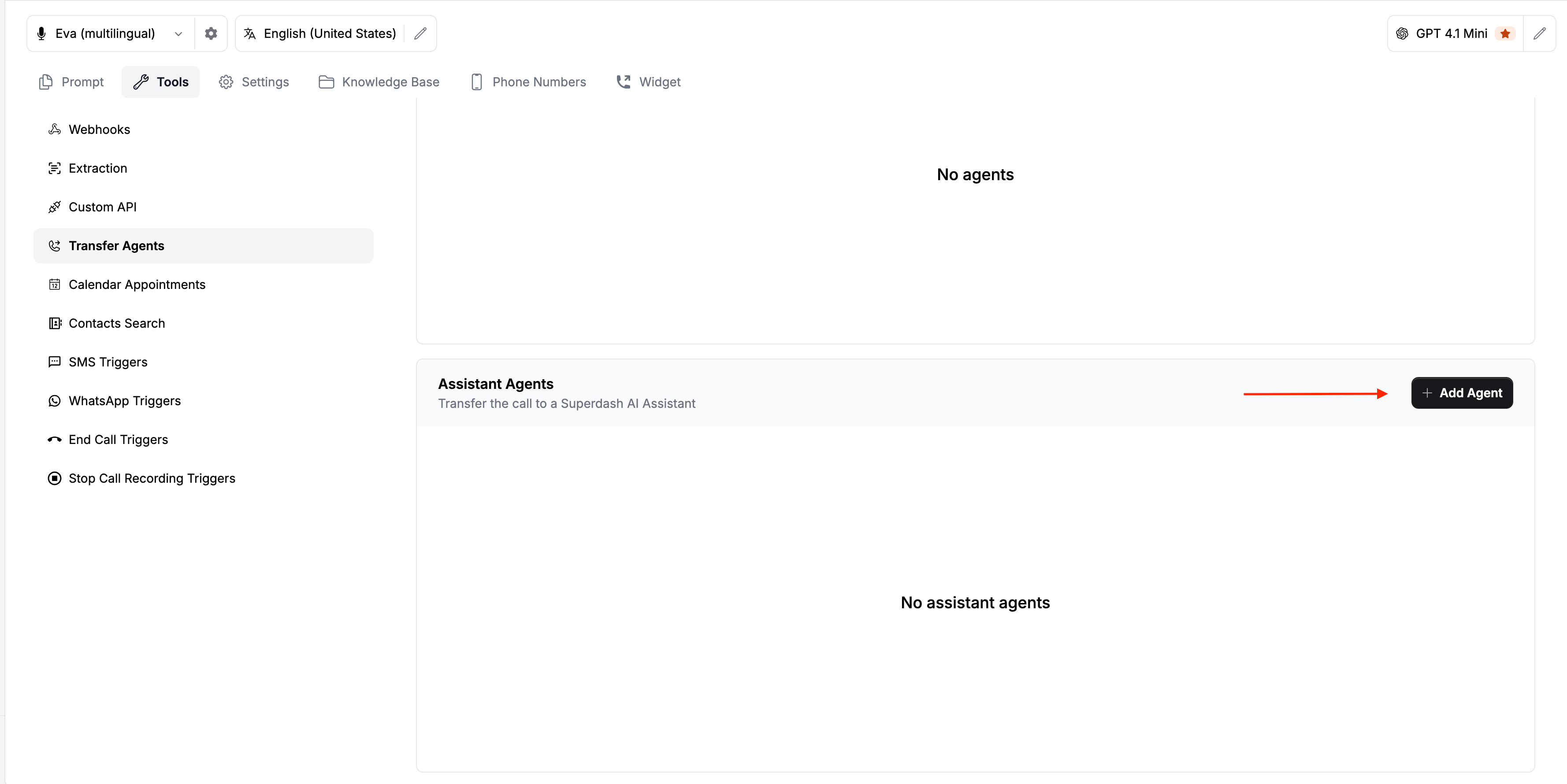
3
Add an Assistant Agent
Scroll down to the Assistant Agents section and click the Add Agent button.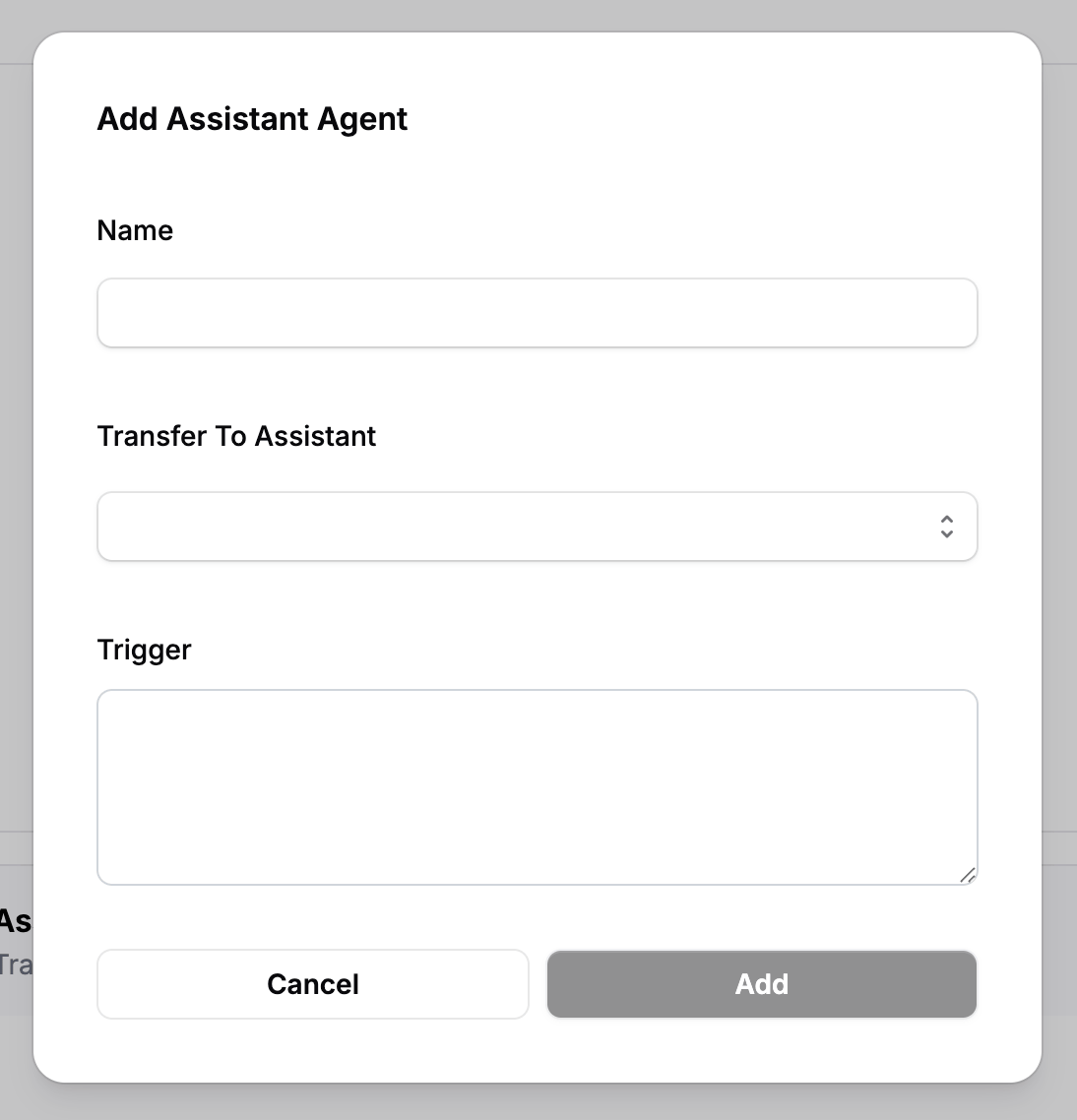
4
Configure the Transfer Details
Fill in the configuration fields for the new transfer agent:
- Name: Give the transfer agent any recognizable name (e.g., “Route to Billing”).
- Transfer To Assistant: Open the dropdown list of all available assistants in your workspace and select the destination assistant.
- Trigger: Write the specific condition or event that should trigger the transfer to this selected assistant.
5
Save the Agent
Click Add to save your configuration.You can repeat this process to add multiple agents with different trigger events for complex routing.
How Triggers Work
Whenever the trigger condition is satisfied during the conversation with the first assistant, the call will immediately be transferred to the corresponding destination assistant. There are two primary ways to write a trigger: Intent-based (without quotes) and Exact Match (with quotes).1. Intent-Based Triggers (Without Quotes)
If you do not use quotation marks, the transfer relies on the user’s turn and conversational intent. The assistant will wait for the user to acknowledge or agree before executing the transfer.
Example Trigger: Proceed to transfer this call if customer agrees to be transferred to billing team.
How it works: If the assistant asks, “Shall I transfer your call to our billing team?” and the customer replies “Yes”, the system recognizes the intent and triggers the transfer to the billing support assistant.
2. Exact Match Triggers (With Quotes)
If you place text inside quotation marks in the trigger box, the system directly searches the conversation transcripts for that exact phrase.
Example Trigger: Proceed to transfer this call if this dialogue is said "I'm transferring your call to our billing team".
How it works: If the exact phrase “I’m transferring your call to our billing team” is spoken by the assistant during the conversation, it will trigger an immediate transfer to the selected assistant without waiting for the next conversational turn.
Summary of Trigger Behavior
- Text in Quotes: Actively searches the live transcript. If a match is found, the transfer triggers immediately.
- Text without Quotes: Triggers on the user’s turn. The transfer only happens if the user says “yes” or otherwise acknowledges the assistant’s prompt to transfer.
Important Call Behaviors
When setting up multi-assistant workflows, keep the following systemic behaviors in mind:Where do Extractions Occur?
- If the call is NOT transferred: Extractions will occur on the First Assistant.
- If the call IS transferred: Extractions will occur on the Transferred Assistant at the end of the call, and no extractions will occur on the First Assistant.