

Default Setting: By default, all assistants have their call duration set to 10 minutes (600 seconds). This limit will remain active unless you manually update it.
How to Update Call Duration
Follow these steps to adjust the maximum call duration for your assistant:1
Navigate to Assistants
Open your dashboard and select Assistants from the left-hand navigation panel.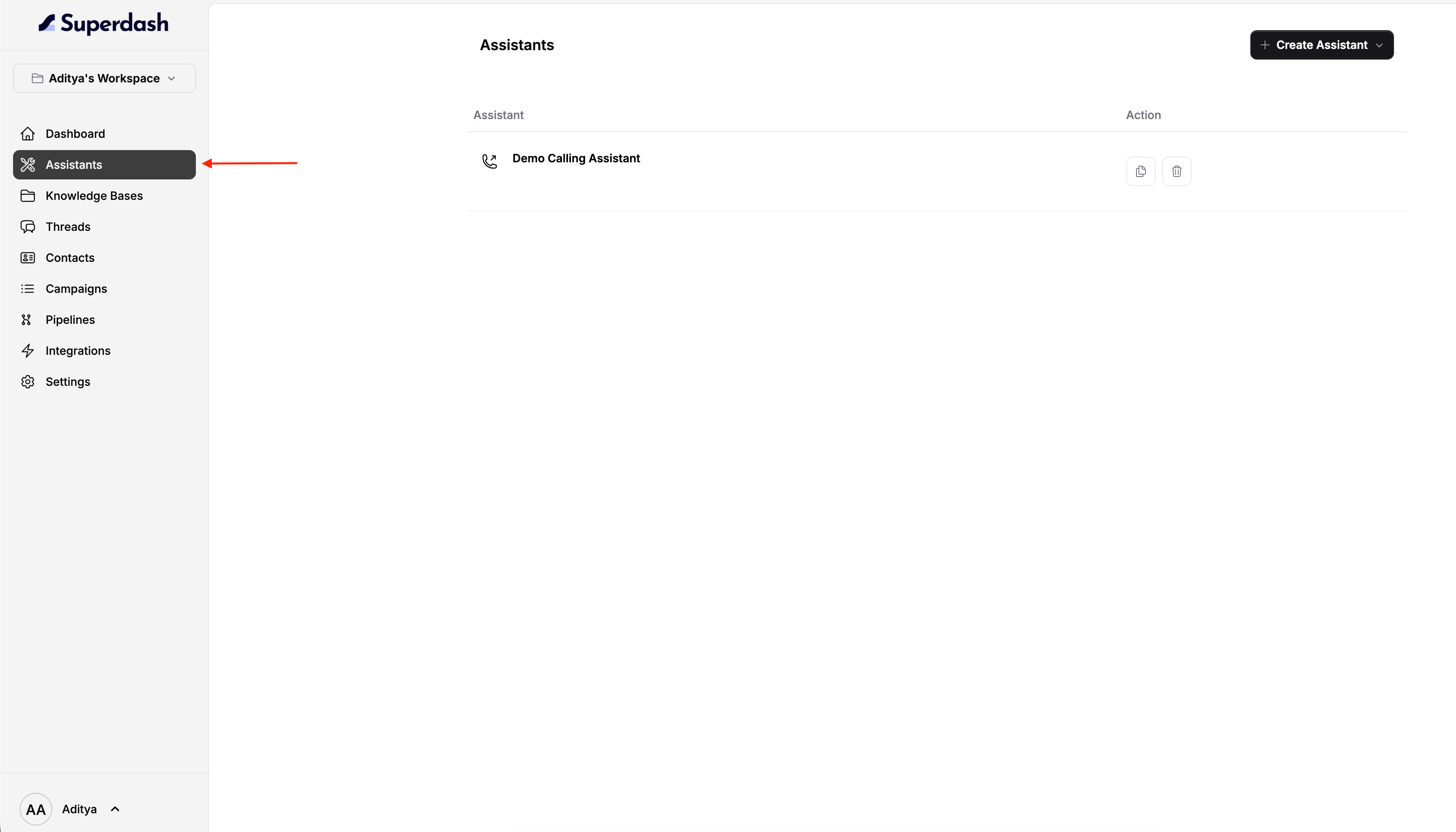
2
Select Your Assistant
From the list of available assistants, click on the specific assistant you want to configure.
3
Open Settings
Once the assistant’s details are open, navigate to the Settings tab. Inside this menu, select the Call Duration option.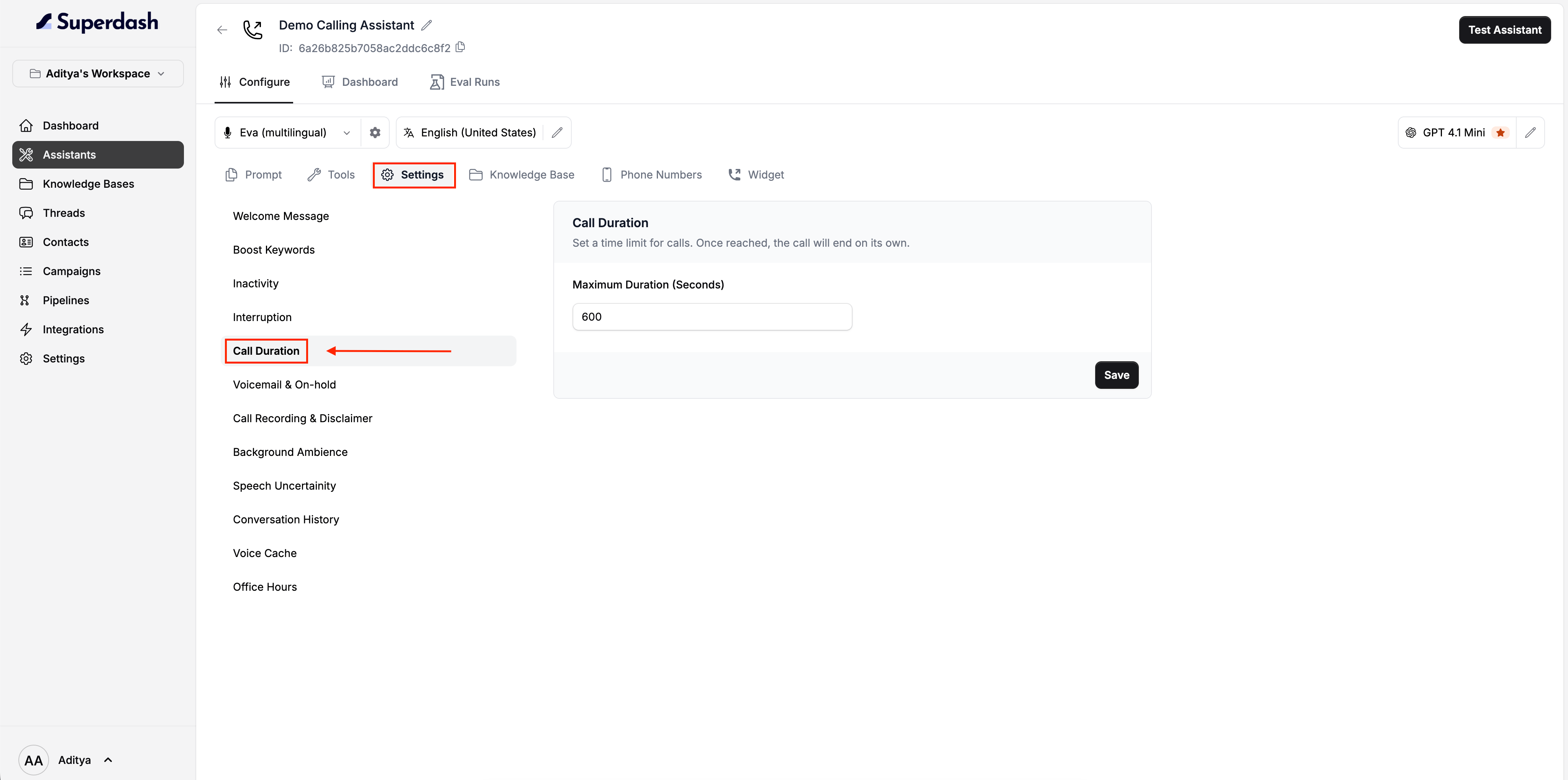
4
Set the Maximum Duration
Locate the Maximum Duration (Seconds) input field. Enter your desired call length in seconds.
5
Save Your Changes
Click the Save button to apply the new limit.🎉 Congrats! You have successfully updated the call duration for your AI assistant.